If your syllabus mentions McGraw Hill Connect, you likely already have a course URL, a first due date, and warnings from classmates about how hard it is to understand. Basically, the answer to the question “Is McGraw Hill Connect hard for students?” comes down to three variables:
- Subject: Calculation-heavy courses are less forgiving than reading-based courses.
- Instructor: Two different sections of the same class may be very different for each assignment.
- Your platform familiarity: If you know where to put work and understand how to submit, you will find that most of the initial stress is eliminated.
In many cases, Connect is harder to use than the course content it provides, especially at the beginning. It can feel steep in the first few weeks, but once you’re familiar with the platform’s rules, it will be easier.
This guide describes what makes the platform challenging, the time required to complete the homework, how it differs from other homework systems, and what you should set up before the first homework is graded. So keep reading!
Key Takeaways on McGraw Hill Difficulty
- Make sure that your course has a direct link or a school portal so that you don’t miss out on assignments.
- Because answers outside the “accepted range” are considered to be “not correct,” be careful to follow rounding and format directions exactly.
- Read highlighted text in SmartBook to grasp essential concepts without reading the whole passage.
- Check the time limits and attempt rules for each assignment before you start working.
- Use a computer for coursework and make sure that your browser is up-to-date to avoid technical glitches.
Is McGraw Hill Connect Hard for New Students?

Yes, at the beginning and mostly not for the subject, but for these reasons:
The First-Week Learning Curve
Knowing where the work lives is the first lesson in how to use McGraw Hill Connect. A course may be launched from the section URL, or a link within your school’s learning management system (LMS) like Canvas or Blackboard, and it is common for students to look in the wrong place when they first enroll.
One student review on Capterra says they lost points because they had trouble finding the assignments. Ask your instructor what route he/she takes and follow it.
Why It Feels Harder Than a Paper Textbook
When you do paper homework, the teacher can read your work and reward your method. Connect’s auto-graded questions only grade the last entry, and your instructor determines the amount of feedback (if any) you receive after submitting.
The base answer to the question, “Why do students find McGraw Hill Connect difficult?” is that a single error means students lose the point, and the platform won’t tell them where the error occurred.
What You’ll Actually Use Inside McGraw Hill Connect
McGraw Hill Connect for beginners can be best thought of as three separate tools in a single course section, which have their own rules:
SmartBook 2.0
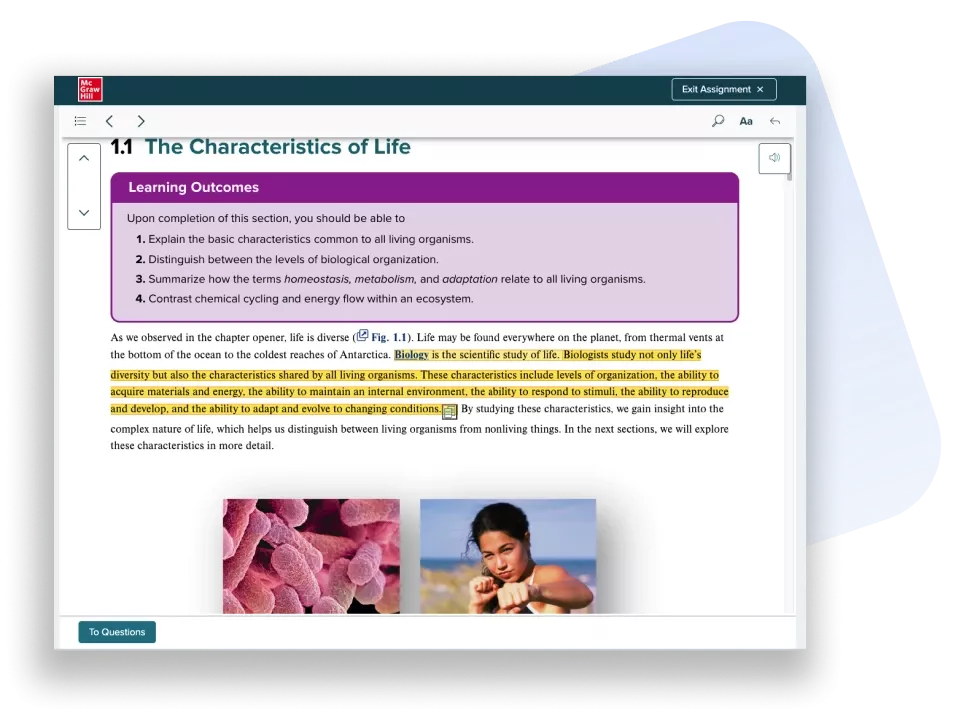
SmartBook 2.0 is an adaptive reading exercise. Read the highlighted parts of the chapter, answer the questions, and rate your level of confidence in each answer.
Your score is how much you have done on your progress bar at the due date, so do as much as possible before that date. Afterward, no more points are awarded, and the assignment moves to Recharge mode, which allows you to continue practicing and receive feedback.
Homework, Practice and Quiz Assignments
These are question-bank assignments that Connect grades automatically. If you can’t do it all in one sitting, use the Save & Exit button to keep your work and then submit it whenever you’re ready. The results are displayed on the Reports tab, and a dash (-) indicates that your instructor has delayed or restricted feedback.
Proctored Tests
Proctored assignments are active only in Google Chrome with certain extensions, and all other browsers are denied access. Prior to the actual test date, students should review the Proctorio system requirements listed by McGraw Hill.
Why Is McGraw Hill Connect So Hard? 5 Reasons Students Struggle
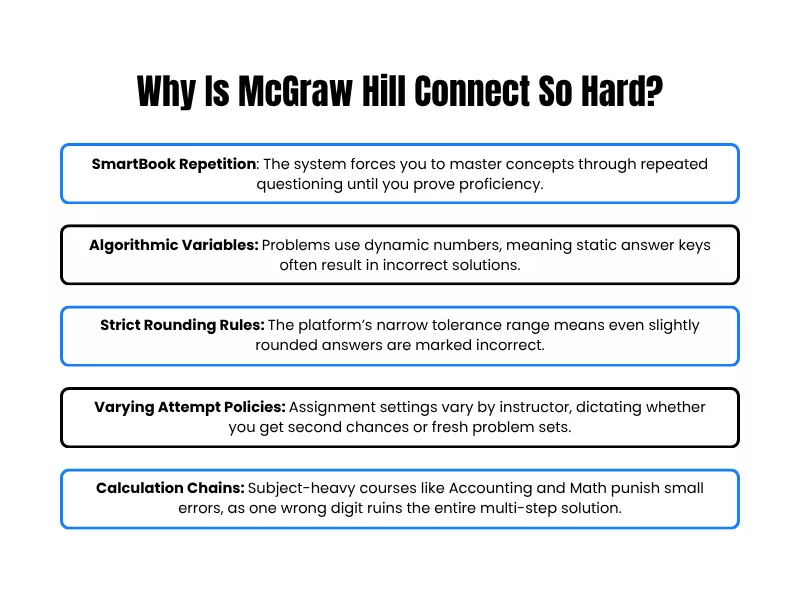
Most McGraw Hill Connect difficulty comes from how the platform is set up, combined with the subject you are taking. Let’s look at some of the common frustrations:
1. Why Does SmartBook Keep Asking Me the Same Questions?
SmartBook will quiz you on concepts that you have not demonstrated understanding of. If you fail on several questions on the same concept, it may take you to a learning resource before you continue.
Because your confidence rating does not affect your progress bar, you should think about what you really know when you rate honestly. No penalty for saying you don’t know.
2. Algorithmic Questions Change the Numbers
Many Connect questions are algorithmic, meaning the values in the problem are not hard-coded but generated by the system; based on the question settings, a new attempt may return a different version. That’s why answer lists extracted from another version/edition rarely correspond.
This is another reason a ready-made McGraw Hill Connect Answer Key rarely helps unless experts tailor it.
3. Why Does McGraw Hill Connect Mark My Answer Wrong When It Looks Right?
Numeric answers are compared to an answer tolerance, which is a small range of acceptable answers, typically prescribed with the question. If your method is correct but you round differently from the instructions, you could get an answer outside the acceptable range.
Before calculating, read the rounding and decimal-place instructions for each question; only round the value you enter; intermediate values should be calculated exactly unless specified.
4. How Many Attempts Do You Get on McGraw Hill Connect Assignments?
This is subjective and depends on the assignment. Instructors can set a limit of one, two, three, or unlimited attempts, and can enforce a percentage penalty for every subsequent attempt.
They also decide whether the new attempt uses the same questions, including the numbers, or starts anew. Some allow study attempts after the due date, but these do not influence your grade.
Manually graded questions remain locked in an assignment until it is marked by your teacher.
5. Which Subjects Are Hardest on McGraw Hill Connect?
There is no difficulty ranking from McGraw Hill, but they tend to be the hardest on Connect if they have long chains of calculations. A typical case is accounting: one transaction may need multiple entries until the total balances out, leading students to search for how to get McGraw Hill Accounting answers.
Depending on the subject matter, the specific challenges vary. Here are some other instances:
- Math/Statistics: Needs precision and strict rounding with multi-step problems.
- Accounting/Finance: Requires correct numbers in lengthy, continuous computations.
- Chemistry: Attention to appropriate use of units, formulas, and significant figures.
- Biology: Makes extensive use of terminology, concepts, and recall.
- Business/Economics: Combines complex calculations and theory-dependent questions.
What Makes a McGraw Hill Connect Assignment Hard?
The challenge of an assignment is also influenced by the way it is structured by your instructor:
- Assignment Rules: Number of questions, total number of attempts, and the severity of time limits.
- Question Design: Algorithmic (randomized) numbers used for each attempt.
- Grading Logic: Whether questions are manually graded or auto-graded, and if the system offers partial credit.
- Available Support: Whether the instructor has turned on any helpful hints or “Check my Work” features.
- Multi-step Complexity: Number of calculation steps needed to get to the final answer.
How Long Does It Take to Finish McGraw Hill Connect Assignments?
There is no typical completion time for McGraw Hill, and any fair estimate will also be based on how your instructor structures the assignments. The amount of time spent on the same chapter in two different courses may vary widely.
Why McGraw Hill Connect Assignments Take Too Long
If you notice McGraw Hill Connect assignments taking too long, SmartBook is the first place to look. It doesn’t end after a fixed number of questions, and missed questions can bring more questions on the same concept. Schedule the first SmartBook and first homework set, and then use those to plan the remainder of the term.
What Affects Your Time on Each Assignment
| Factor | How it changes your time |
| Assigned SmartBook content | A full chapter will take longer than a few selected sections because the instructor decides which chapter content and concepts to assign. |
| Time limit | A timed assignment will continue timing after it is started and will automatically submit when time expires. There is no time limit, so you can take your time until the due date. |
| Your preparation | The matching eBook section is worked through before opening the question-bank homework, which helps to save time on a problem they don’t know. |
Why Is McGraw Hill Connect So Hard to Use?
Most of these problems can be divided into two categories: Connect entry and specific assignment opening.
McGraw Hill Connect Login Problems for Students
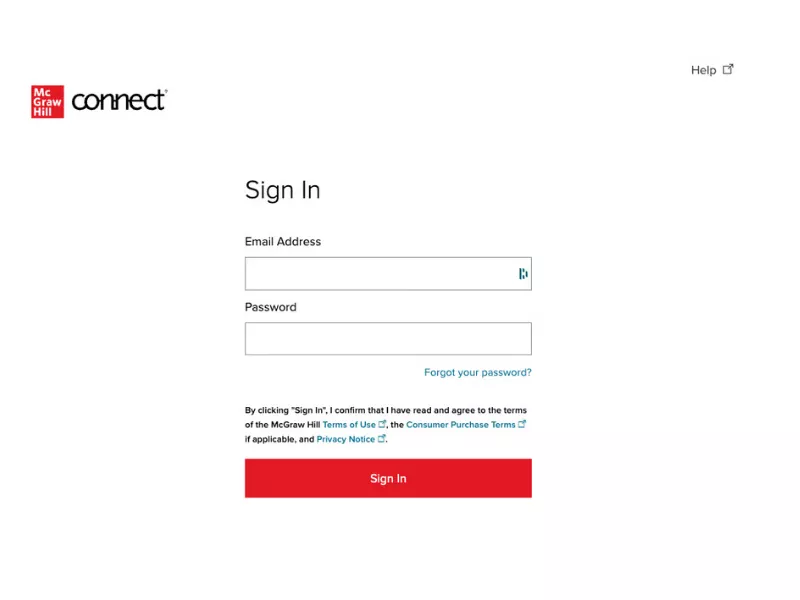
Most McGraw Hill Connect login issues for students are due to these three common reasons:
i. Wrong or Mismatched Email
Connect recognizes you by email address, so log in using your original email address, not a secondary address. McGraw Hill suggests that you sign up using your school email. Use the Forgot Password option instead of creating a second account if Connect indicates that an account already exists.
ii. Logging In Through Canvas or Blackboard vs Direct Login
For courses that are connected to an LMS, go to the McGraw Hill link within the course to launch Connect, located in Tools (Blackboard) or in the course navigation menu (Canvas). After you connect your accounts, you will be taken directly to your section without having to sign in again.
iii. Browser, Cache and Pop-Up Issues
Chrome, Firefox, and Safari are supported; Internet Explorer is not. Some colleges also require that students use an updated browser version that supports JavaScript, pop-ups, and cookies. If the page suddenly doesn’t work as expected after you update your browser, clearing your browser’s cache is a logical next step.
How Do I Fix McGraw Hill Connect Not Loading?
If Connect is unable to load, try the above steps for the browser first. If the site loads, but one assignment does not open, it is likely a rule, not a bug. Ensure the assignment is within the dates provided and that you have not exceeded your number of attempts. If neither applies, contact McGraw Hill’s Digital Technical Support team with your course URL, your browser, and a screenshot of the error.
How Hard Is McGraw Hill Connect Compared to Other Platforms?
Every major homework platform has its own level of difficulty, so the more pertinent question is what type of difficulty are you signing up for? Here are some platform-wise comparisons:
Is McGraw Hill Connect Harder Than ALEKS or MyMathLab?
Also from McGraw Hill, ALEKS begins with an initial Knowledge Check of 30 or fewer questions, and monitors your progress using the ALEKS pie. Its subsequent Knowledge Checks can take you back to review topics you don’t remember.
Pearson’s MyMathLab includes learning features like Help Me Solve This and View an Example. These are available during the course and assignment, but they are typically disabled during tests.
There are also hints, links to eBooks, and Check My Work in Connect, though they are not always enabled and may or may not earn points.
McGraw Hill Connect vs Cengage WebAssign
The values used in a majority of the questions on WebAssign are randomly changed within the question text, and some WebAssigns require a new randomization after a certain number of assignments have been submitted, meaning that you must redo the problem with new values.
When WebAssign allows, the answer key or a worked solution will be displayed when you have used up your count of submissions with a randomization.
Connect does this each attempt. Start over mode gives a new set of questions on each try, using the same algorithm; otherwise, revise mode retains the same numbers.
What New Students Should Know Before Starting McGraw Hill Connect
The following two factors of setup will influence the smoothness of your initial week: registration and choice of device.
How Do I Register for McGraw Hill Connect as a Student?
- Open the URL of the course section from your instructor (or the McGraw Hill link provided in your LMS) and bookmark it. Each section has its own address. You will also see the course, section, and instructor name to verify that you are in the correct section.
- Enter your email address and then, when asked, fill in your name, password, and security question.
- Select one access method: Redeem access code, Purchase access online using a credit card, or Start temporary access (free two-week trial if access code has not yet been received).
- Confirm your access and go to Connect.
Access codes are specific to each title and will not work for a different edition. You can re-register via the new section URL without the need to purchase access if you change sections later or if you registered in the incorrect section.
Can I Use McGraw Hill Connect on Mobile?
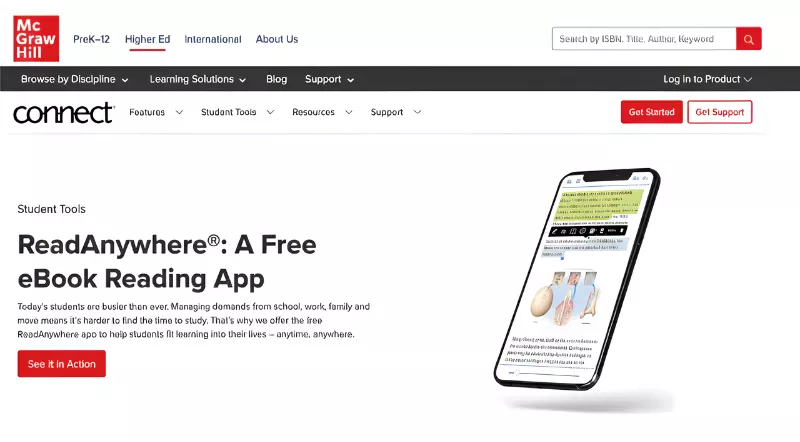
Partly. Download eBook chapters, take notes, and finish SmartBook 2.0 assignments without an internet connection with the ReadAnywhere app, which is free for iOS and Android, then sync them when you return online.
It is compatible with newer eBooks and SmartBook 2.0 and may not be offered in all Connect courses. New Connect is available for iOS and Android tablets for other assignments, though McGraw Hill admits for not supporting some assignments and applications.
Use a phone or tablet for reading and SmartBooking and a computer for question-bank homework.
What Are the Best Tips for Using McGraw Hill Connect as a Beginner?
These tips for using McGraw Hill Connect as a new student focus on the habits that matter most before your first graded deadline.
What Should I Do Before My First McGraw Hill Connect Assignment?
Before beginning an assignment, read its policy details: due date, time limit, number of attempts, and late policy. If there’s a Practice or Ungraded item, work on it first to get familiar with the answer entry format before evaluation.
Use the Connect Calendar to Stay Ahead of Deadlines
Connect displays all your upcoming assignments in one calendar, making it easier if you have Connect assignments in multiple classes.
Read SmartBook Highlights Before Answering
McGraw Hill’s student guide recommends using Start Reading as a student guide before you start answering questions. You should read the parts of the highlighted chapter, instead of the entire chapter evenly.
Use Check My Work Strategically
There is also a Check My Work button on some Connect assignments for you to check your answer before submitting it, and some instructors provide this with no limit and without penalty. Some limit the number of resources that can help you, and some may take away points for use of resources; check the assignment instructions for those restrictions before using them.
Use Reports to Find Your Weak Topics
Connect includes Reports that monitor your performance and your comprehension of important concepts. Among McGraw Hill Connect tips for new students, this one pays off at exam time: use the weakest concepts in Reports to decide what to review in Recharge mode before a test.
Contact Your Instructor or Connect Support Early
Teachers control the extension setting and attempt numbers. For extensions, please ask before the due date, not after it. Before contacting McGraw Hill, go to the office at your school, such as the campus bookstore, and find out how to solve access code issues there.
Apart from this, you can opt for online class help for professional assistance by subject matter experts who have platform knowledge along with topic mastery.
What Should You Check When a Connect Assignment Feels Too Hard?
When you’re having trouble with a particular assignment, try this troubleshooting sequence before deciding that you’re too dumb to handle it:
- Read Instructions: Reread the specific formatting or policy restrictions.
- Check Attempts: See how many attempts you have left before you submit again.
- Review Format: Double-check your rounding, units, and decimals against the required format.
- Check for Help: Check if there are Help or hint buttons provided.
- Use Resources: Read the targeted SmartBook section or textbook chapter on the problem.
- Analyze Feedback: Review the Reports tab and determine your specific weak concepts.
Reach out to your instructor about settings, or McGraw Hill’s Digital Technical Support about technical errors.
When Should You Get Help with McGraw Hill Connect?
Situations when the platform isn’t the issue, it’s the workload, for example:
- You have a bunch of Connect courses due all at once
- The assignments have a time limit
- You need to complete an elective module or are dealing with a subject you struggle with
- The SmartBook is simply overwhelming
Under those circumstances, seeking outside assistance is appropriate. The PhD-qualified TakeOnlineClassHelp experts, who are available round the clock, will be able to help you with McGraw Hill Connect Answers for various subjects.
Conclusion
It is often hard to use McGraw Hill Connect at first, but that is as much an issue of the platform rules as it is with the course. You can surmount these challenges by learning to access your work, review the assignment requirements, and address technical details. The system’s management becomes easier after a few weeks, and you can concentrate on your own studies rather than on struggling with the software interface.
Frequently Asked Questions
Is McGraw Hill Connect hard once you know how it works?
Much less so. The first graded assignments are like diagnostic; you should make note of all the points you lose because of the formatting/setting/navigation and correct all of those habits from the beginning, as your later grade should be more representative of your grasp of the subject.
What Happens If I Miss a Deadline on McGraw Hill Connect?
It depends on the late policy established by the instructor. Acceptance of late work may come with a one-time penalty, an incremental (by the hour/day) penalty, no penalty, or none at all.
Can I Get Partial Credit on McGraw Hill Connect?
Sometimes. For check-all-that-apply questions, instructors choose between partial-credit scoring or all-or-nothing scoring. Under partial-credit scoring, each correct selection earns credit, and each incorrect selection costs the value of one correct answer.
Is McGraw Hill Connect Hard for Students in High School?
Sometimes. Your teacher sets the rules, and the platform takes a few weeks to learn. Connect is also a part of some high school courses, where access codes come when the school or district purchases Connect. Students then register through the section web address on a registration sheet their teacher hands out.

Want To See My Profile — Check Now
- Is McGraw Hill Connect Hard? What New Students Should Know Before Starting - October 15, 2026
- How to Get Edmentum Answers? - January 21, 2025
- How To Cheat On WileyPLUS Assignments? Get The Best WileyPLUS Answers - October 28, 2024